
Our meeting scheduling tool makes collecting availabilities easier, helping you find the perfect meeting time – without the back-and-forth emails.

Request availability based on your schedule, not theirs.

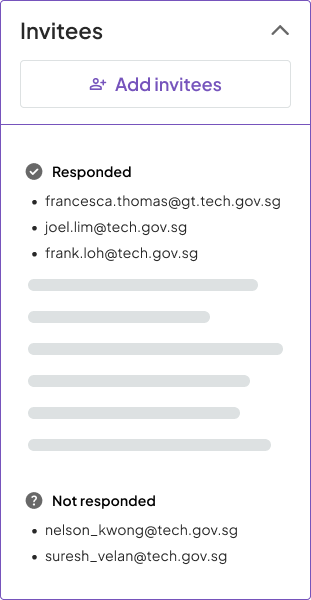
Let the system gather responses and email your invitees on your behalf.

Get alerted only when there's something to do - never miss your window to confirm.
Choose the times that work for you—no need to guess others’ schedules.

Tell us who you’d like to invite — we’ll reach out and gather their availabilities.
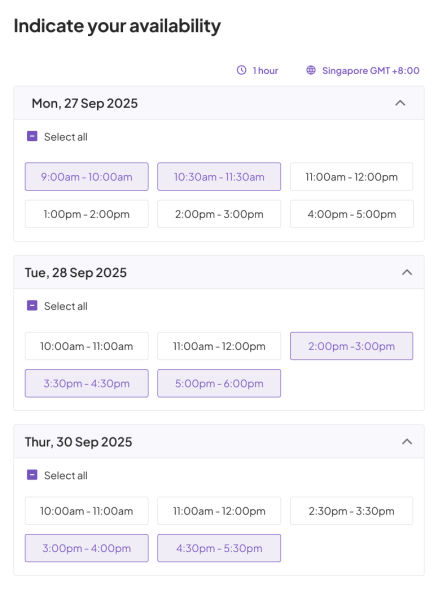
We’ve made it easy for the people you invite to indicate when they’re free based on what you set.
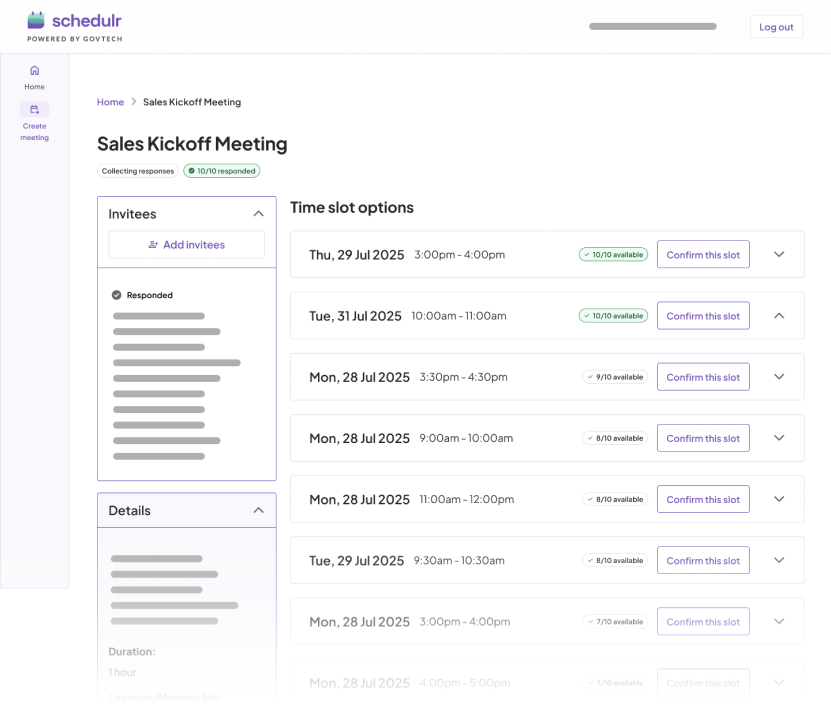
Pick a time slot based on the common times we’ll suggest. Thereafter, we’ll notify everyone so you don’t have to.

Schedulr is free to use for all government officers.
As long as you have a valid government email (@gov.sg), getting started with Schedulr is effortless.
Schedulr allows you full control over the disclosure of your free time. Your invitees will only see the time slots you offer - no more discussing time slots that aren't ideal for you.
The time slots that your invitees choose are for your eyes only. This way, Schedulr helps reduce friction between parties whilst planning meetings.
Schedulr uses a simple call-and-response approach to streamline meeting planning. You start by entering key meeting details and selecting the time slots when you're available. Once everything is set, Schedulr sends invites to your participants.
Invitees can then respond by selecting all the time slots that work for them—or indicate if none do. Once everyone has replied, you'll be notified. Schedulr then recommends the best time slot based on group availability, and you can confirm the final meeting time with one click.
Schedulr handles all the communication for you. It automatically sends:
You can also set deadlines for invitees to respond. Schedulr will take care of sending reminders and keeping everyone in the loop—so you don't have to.